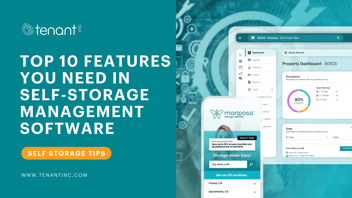
.png)
Tenant Inc. today announced the availability of Apple Pay in the Mariposa online rental flow, adding one of the world's most trusted and widely used mobile payment methods to the self-storage industry's highest-converting online rental platform. Tenants can now complete payment using Face ID, Touch ID, or their device passcode—eliminating manual card entry and reducing the friction that causes rental abandonment.
Apple Pay is available automatically to Mariposa properties using Tenant Payments with SuperLease™ and OpenClick™ enabled in the online rental flow. No additional setup or configuration is required. When a tenant's device supports Apple Pay, it appears at the top of the payment options in the rental flow—before credit cards—ensuring the fastest path to a completed rental is always the most visible one.
"The online rental experience has to earn the tenant's confidence at every step—from how a space is presented, to how the lease is signed, to how payment is collected,” said Lance Watkins, CEO at Tenant Inc. “SuperLease™ was built to make each of those steps as fast and frictionless as possible. Adding support for Apple Pay closes the last gap. Tenants can now go from selecting a space to completing payment in seconds, using authentication they already trust. That's not a minor convenience—it's a meaningful reduction in the abandonment that costs operators rentals they've already earned."
The addition of Apple Pay builds on SuperLease's existing frictionless rental methodology, which is designed to capture tenant commitment at peak intent—minimizing the window between decision and signed lease. With Apple Pay, the payment step matches the speed and simplicity of the rest of the SuperLease rental flow, keeping tenants moving forward rather than pausing to locate a card.
What Apple Pay on Mariposa Delivers
- One-Tap Payment: Tenants complete payment with a single confirmation using Face ID, Touch ID, or device passcode—no card number entry, no friction.
- Automatic Availability: Apple Pay activates automatically for eligible properties—no setup or configuration required from operators.
- Mobile-First Experience: On iPhone, Apple Pay opens instantly for quick confirmation, delivering a rental experience that matches how tenants already shop and pay everywhere else.
- Cross-Device Support: Available on iPhone, Mac with Safari via Touch ID, and via QR code on Mac and Windows non-Safari browsers—covering the full range of how tenants access Mariposa.
- Bank-Grade Security: Apple's tokenization technology masks actual card numbers from merchants, processing every transaction with the same security standards tenants trust across all Apple Pay purchases.
Why This Matters for Self-Storage Operators
Rental abandonment is one of the most measurable sources of lost revenue in self-storage—and the payment step is where a disproportionate share of it happens. Tenants who have navigated unit selection, pricing, and lease signing can still drop off when asked to manually enter card details, particularly on mobile devices. Apple Pay eliminates that step entirely.
For multi-facility operators, the impact compounds across every location. A reduction in payment-step abandonment across a portfolio of ten or more facilities represents a meaningful lift in completed rentals without any change to marketing spend or traffic volume. Because Apple Pay activates automatically for eligible properties, operators capture that benefit from day one with no operational lift required.
Apple Pay transactions are processed securely through Tenant Payments and follow standard card payment behavior. Transactions appear as regular card payments in Hummingbird reporting. Apple's tokenization technology masks actual card numbers from merchants—meaning the last four digits shown for an Apple Pay transaction will not match the tenant's physical card, a standard feature of Apple's payments security model.
Availability
Apple Pay in the Mariposa online rental flow is available now to all Mariposa properties using Tenant Payments with SuperLease™ and OpenClick™ enabled. Operators with questions about eligibility may contact their Tenant Inc. Customer Success Manager or visit the Tenant Inc. Help Center for more information.
.png?width=352&name=Tenant%20Inc%20Adds%20Google%20Pay%20to%20Mariposa%20Websites%20Featured%20Img%20(1).png)